Download TelePrompter Pro

Free 3-day trial. Works on Windows 10 and 11. No account, no card required.

TelePrompter Pro for Windows

Version 1.0.0 · 64-bit · self-contained installer (~48 MB). Everything is bundled - no separate runtime to install.

By downloading you agree to the License Terms.

  • Full screen-capture invisibility during the trial
  • No account, works fully offline
  • 30-day money-back guarantee after purchase
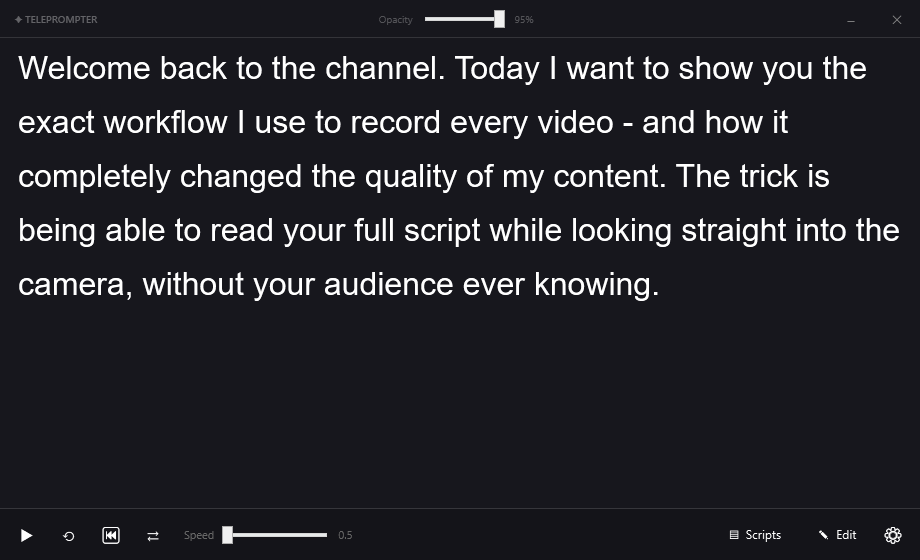
TelePrompter Pro running on Windows

System requirements

  • Windows 10 version 2004 (build 19041) or later
  • Windows 11 - all versions
  • 64-bit (x64) processor
  • ~200 MB free disk space

On older Windows 10 builds the app still works as a teleprompter; full capture-invisibility needs build 19041+.

Installing

  1. Run TeleprompterPro-Setup-1.0.0.exe.
  2. If Windows SmartScreen appears, choose More info → Run anyway (the app is safe; code-signing is rolling out).
  3. Follow the short wizard. Optionally add a desktop icon or start with Windows.
  4. Launch it - your free 3-day trial starts automatically.

Already purchased?

Open the app, click the license badge or Upgrade, choose “I already have a license key,” paste your key, and click Activate. It unlocks instantly and works offline.