Everything you need to record on-script

Built for solo creators who record with OBS and want to look natural on camera.

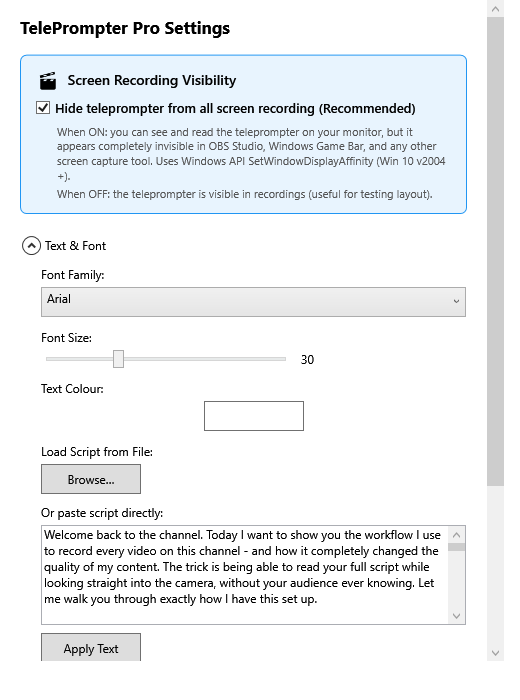
Settings showing the Hide from screen recording switch
The headline feature

Invisible to every screen recorder

TelePrompter Pro excludes its own window from the Windows capture pipeline, so it never appears in OBS, Game Bar, Camtasia, Loom or Zoom share - while staying perfectly visible on your monitor.

  • OBS Display, Window & Game Capture
  • Windows Game Bar & Desktop Duplication
  • Works on the same screen you record
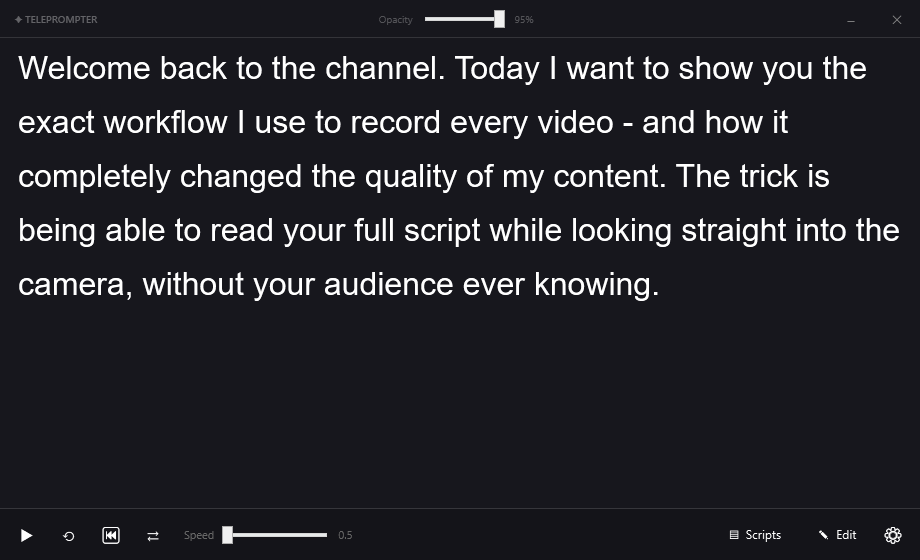
The teleprompter window with controls
A focused teleprompter

Everything on one clean control bar

Play, pause, reset, reverse, mirror, speed and a live opacity slider - all in reach while you record. Paste your script or load a .txt file, then set the pace and go.

  • Built-in script editor & .txt import
  • Live speed and opacity control
  • Mirror mode for glass teleprompters
  • Floating, resizable, position remembered
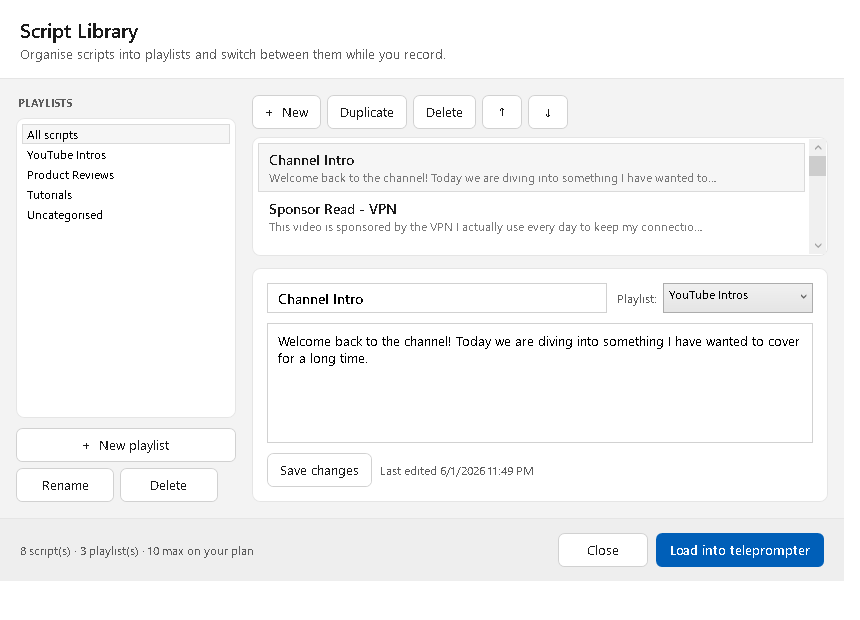
Script Library with playlists, scripts and an editor
New · Script library

A whole library of scripts, organised your way

Save as many scripts as you need and group them into playlists — intros, sponsor reads, reviews, tutorials, whatever suits your channel. Reorder them, edit them inline, and load any one into the teleprompter in a click.

  • Create, rename and delete playlists (collections)
  • Reorder scripts and move them between playlists
  • Quick-switch popup with Prev / Next while recording
  • Unlimited scripts with Pro
Comparison

How it compares

Capability TelePrompter Pro Other apps Glass prompter
Invisible to OBS / screen captureYesNoYes
One-time purchase$17Subscription$200–500
No extra hardwareYesYesNo
Records on the same screenYesNoHardware only
Script library & playlistsYesRarelyNo
Works offline, no accountYesOften notYes

See it work in your own OBS setup

Free 3-day trial. No account required.

Download for Windows